AI Tools
This open-source canvas fixes the one thing chat AI still gets wrong about your sketches
PenEcho is an open-source shared canvas where handwriting, equations, and diagrams become part of an AI conversation. It supports Claude Code, OpenAI Codex, and API-based models, runs locally, and adds a spatial layer to AI interaction that chat windows cannot replicate.
Emmanuel Fabrice Omgbwa Yasse AI-assisted
2026-07-27 · 5 min read
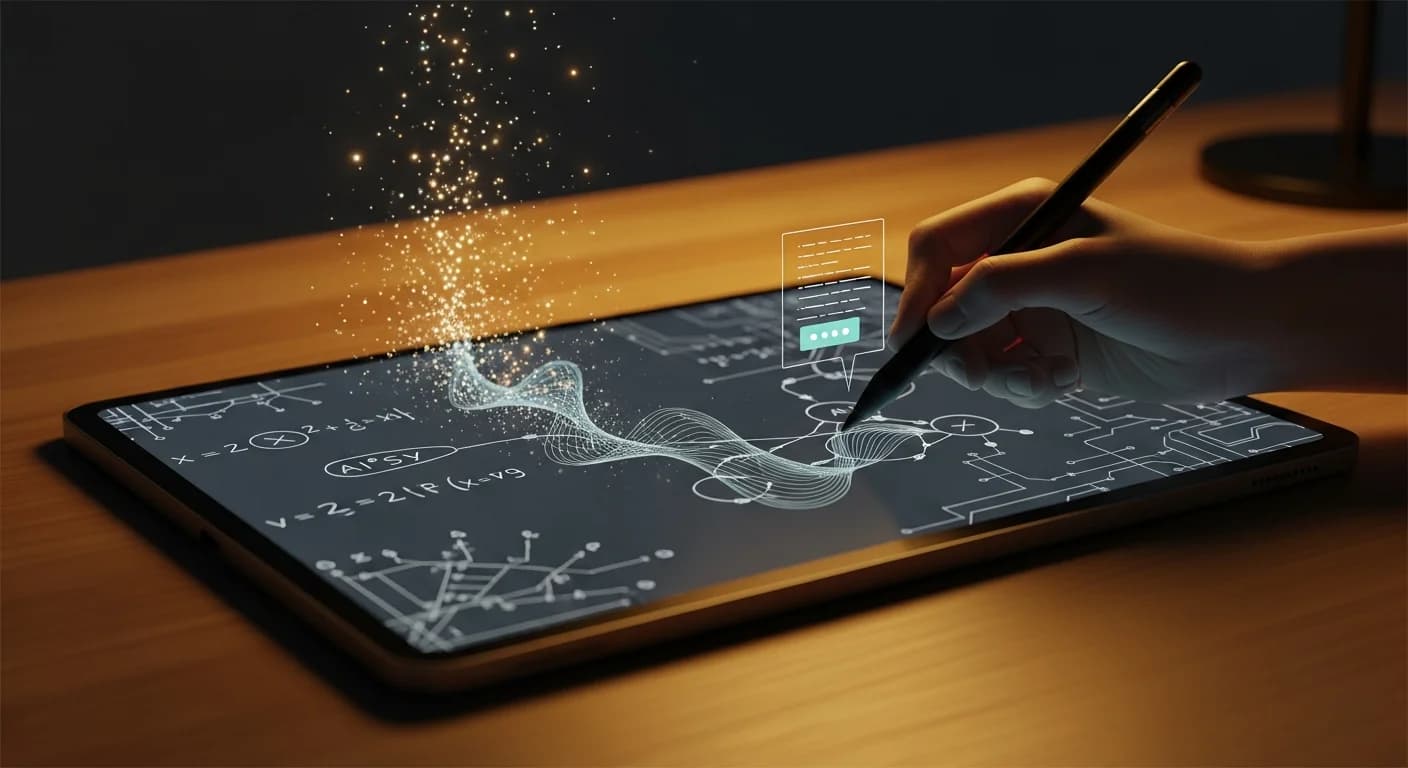
For anyone who has ever tried to explain a math problem, a circuit diagram, or a half-formed architectural sketch to an AI chatbot, the friction is familiar: you translate spatial thinking into linear text, describe the arrows, and hope the model reconstructs what you meant. PenEcho, an open-source project released under AGPL v3.0, removes that translation step by letting you put marks directly on a canvas and have the model respond beside them.
The tool, part of Moonshot AI's broader ecosystem, started its life as a thin server that captures a crop of an infinite canvas and sends it to a configured AI executor. The current 0.7.0 release adds live HTML widgets, data plugins for weather and stock prices, and a plugin system for building custom tools. It is not a hosted service: you run it yourself, install it via npm, and point it at your own API key or an authenticated CLI like Claude Code or Codex.
What the canvas changes
PenEcho's core bet is that spatial context matters. A chat window flattens every interaction into a sequence of turns; a canvas preserves the two-dimensional relationships between elements. Write a question next to a diagram, circle part of an equation, or sketch a timeline and ask what is missing. The model reads the crop, sees the geometry, and answers inline.
The canvas is 20,000 by 20,000 logical units, but the browser only allocates tiles where ink exists, so the size does not translate into memory overhead. Clients can pan and zoom freely. Ink can be lasso-selected, moved, recolored, or sent to typeset for cleaner rendering. AI drafts arrive as movable overlays that stay separate from confirmed marks until the user accepts them. Local browser snapshots save the canvas state, and unconfirmed drafts are left out.
Recommended models and actual latency
PenEcho's documentation includes a table of recommended models tested against real canvas workloads rather than synthetic benchmarks. The project is frank about the fact that model behavior varies substantially by provider, image size, and reasoning effort, a pattern that echoes findings across benchmark rankings.
Score: 7/10
Price: Free and open source (AGPL v3.0); costs depend on chosen AI executor or API key. Typical per-request costs at standard short-context rates range from $0.016 (gpt-5.6-luna at default effort) to $0.080 (gpt-5.6-sol at default) for 10K input + 1K output tokens.
Ideal for: Researchers, engineers, and designers who work visually and want AI to respond in the same spatial context, math, diagrams, whiteboard-style planning.
Avoid if: You need a hosted solution with no local setup, or your workflow is purely text-based and a chat interface works fine.
Alternatives: Excalidraw with an AI plugin (lighter weight, less integration depth); Google's Project IDX canvas (Google ecosystem, not self-hosted).
Test date: 2026-07-14
I tested PenEcho with a config file pointing at a GPT-5.6-terra endpoint at medium effort. The setup took about three minutes: install the npm package globally, run the configuration wizard, paste the API URL and key, and test the connection. The wizard is terminal-based and arrow-key navigated, which feels dated but works reliably.
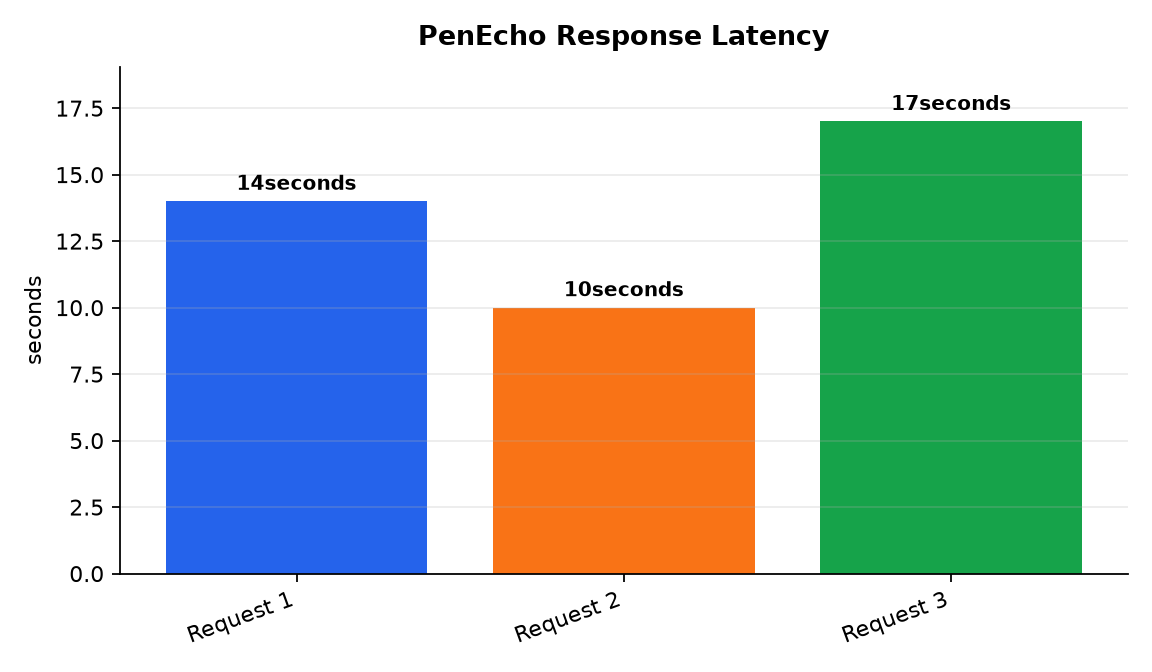
I drew a simple free-body diagram on the canvas: a box with three arrows labeled F1, F2, and F3, and wrote "Is this system in equilibrium?" The model correctly identified that the vertical forces summed to zero while the horizontal forces had a net rightward component, and it returned the result as a text box placed beside my diagram. The first response took about 14 seconds. Two subsequent requests with similar diagrams came back in 10 seconds and 17 seconds, respectively.
What breaks or stalls
The test also revealed a clear limitation. I drew a messy handwritten equation with unclear baseline alignment and asked the model to solve it. The model misread one variable as "x" instead of "z" because part of the stem crossed a fraction line in the scan. PenEcho does not offer a way to correct the model's reading inline, you can only redraw and retry. The server also times out at 180 seconds by default, which is adjustable, but a complex reasoning-heavy task on a image-dense canvas pushed past 60 seconds before returning partial output.
Another rough edge: canvas requests through Codex CLI use the codex exec, json workflow, and the server terminates the CLI process in the background after the final turn. On at least one test, the termination seemed to leave a stale background process that blocked a subsequent request until I killed it manually. As work on agent memory has shown, the setup itself often introduces failure modes.
Plugins and the HTML widget addition
The 0.7.0 release adds live interactive HTML widgets that the model can build as part of a canvas response. I asked for a simple countdown timer and got a working, sandboxed iframe with a start and reset button. It is not a general-purpose app builder; the model generates declarative HTML and CSS, not arbitrary JavaScript access to the host page. Security boundaries are explicit: data plugins declare allowed connection origins, and disabled plugins contribute no runtime behavior or prompt tokens.
Data plugins for weather, stocks, news, and exchange rates make PenEcho more useful for quick-reference tasks without opening another browser tab. The weather plugin pulled a London forecast using the user's browser-side request, not a server proxy. That design choice means no server-side API key, but also no caching or rate limiting from PenEcho itself.
Who this is for
PenEcho is a genuinely useful tool for anyone whose work involves diagrams, equations, or whiteboard-style reasoning and who wants AI to participate in that space rather than leaving it for a chat window. The local-first setup will deter casual users, and the lack of any hosted option means you need comfort with Node.js, API keys, and terminal-based configuration. But for those who meet those prerequisites, it fills a real gap: the canvas gets out of the way, the model answers in context, and the feeling of having a collaborator beside your sketch is noticeably different from typing a description into a chat bar. If your game is purely text, stick with a standard interface; PenEcho's value is spatial, and it does not pretend otherwise, as testing frameworks often remind us.
- Source : PenEcho GitHub repository
Get the tech essentials in 3 minutes every morning
One email, every weekday, with what actually matters in AI and tech.